
Standards
Pick the standard. Get the numbers.
Major, minor and pitch diameters, tooth thickness and pressure angle come straight from the standard — before you draw a single line.
SoupBrain builds clean, modern automation and AI tools that remove busywork and keep things simple. Our flagship is SplineGen, spline and gear design software that runs in your browser.
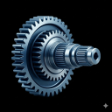 Our flagship product
Every spline standard. One browser tab.
SplineGen is online spline and gear design software for mechanical engineers, machinists and inspectors. ANSI B92.1, ISO 4156, DIN 5480, SAE J500, JIS and more — 20+ standards across involute, serration, polygon and hexalobular profiles. No install, no seat licence.
01Design
Start from a standard, a shape family, a one-line callout or the customer's drawing. The numbers come from the spec, not from you.
Major, minor and pitch diameters, tooth thickness and pressure angle come straight from the standard — before you draw a single line.
Choose from eleven tooth and profile families, or drop in a DXF, STEP, PDF or image. SplineGen reads the data block, measures the outline and matches it to a standard.
“B92.1 EXT 20T 2.5/5 30° FLAT CL5” — type the callout straight off the print and get the part. Every term becomes a chip you can change on its own.
Lead-ins, lead-outs, relief grooves, shoulders and helix go on the side view by drag and drop, fully dimensioned and carried into every export.
Hexalobular bits and sockets, polygons, hex and square drives sit alongside splines and gears — standard dimensions, plain or tamper-resistant.
02Assemble & analyze
Build gear trains, check them in 3D and run the analysis in the same tab you designed them in.
Planetary, compound, idler and series trains — built from a ready-made recipe or your own parts, placed at the right centre distance and phased so the teeth actually mesh.
Every part you design is a solid. Orbit the full train, check the fit by eye, then send it out as STEP, STL or 3MF.
See stress contours across every flank and root fillet while you design — no export, no separate solver, no waiting.
Power flow, mesh forces and capacity used for every part in the train — with one clear verdict when everything clears.
Clearance, engagement and backlash across the full tolerance stack — every band graded clears, tight or interferes, with the numbers behind it.
Loaded tooth contact analysis with pitch error and misalignment shows how torque really spreads across the teeth, and hands you a k_load you can design with.
Steels, stainless, tool steels, aluminum, titanium, nickel superalloys and plastics, each with strength, stiffness, hardness and machinability that feed straight into the analysis.
03Manufacture & inspect
See how the part gets made, hand the inspector every limit, and export whatever the next person needs.
Hobbing, broaching, shaping, grinding and EDM: see the tool against the tooth, get flagged wherever the process can't make the form, and read off measurement over pins.
Pick linear broaching and see the tooth rises, chip load per tooth and pre-turn diameter, with every rise drawn on the part.
Min and max major and minor, space width, effective and actual tooth thickness, measurement over pins — computed from the standard and ready to copy, email or export.
STEP, DXF 2013/2018, STL, 3MF, SVG, PDF drawings, CSV and a multi-page compliance report — for a single part or the whole assembly at once.
04Work fast
A command palette, built-in guides and short lessons, so nobody has to sit through a training course.
Press ⌘K and type “DIN 5480”, “hex socket” or “export STEP”. Every standard, command and help article is a few keystrokes away.
Short interactive lessons walk you around the app on a live model — no training course, no manual, no install.
Pitches, fit classes and the shorthand on the print — explained in plain language, without leaving the part you're working on.
No install, no seat licence. Open SplineGen and design your first part in minutes.
Open SplineGen →SplineGen is spline and gear design software that runs in your web browser. You design a spline, serration, polygon, hexalobular drive or gear to a published standard, check it with built-in FEA, fit and contact analysis, and export production-ready STEP, DXF and PDF drawings. It is made by SoupBrain.
ANSI B92.1, ANSI B92.2M, ISO 4156, DIN 5480, DIN 5481, DIN 5482, SAE J500, JIS B 1601, JIS B 1602, JIS B 1603, ISO 14, ISO 10664, ASTM F116, DIN 32711, DIN 32712 and generic serrations — more than 20 standards across involute, serration, polygon and hexalobular profiles.
No. SplineGen runs entirely in the browser at splinegen.com — no download, no install and no seat licence to manage.
Yes. Drop in a DXF, STEP, PDF or image and SplineGen reads the data block, measures the outline and matches it to a standard. You can also type the callout straight off the print, such as “B92.1 EXT 20T 2.5/5 30° FLAT CL5”.
Yes. Build planetary, compound, idler and series gear trains from a ready-made recipe or your own parts. SplineGen places them at the right centre distance, phases the teeth so they mesh, and shows the whole assembly in 3D.
STEP, DXF 2013 and 2018, STL, 3MF, SVG, PDF drawings, CSV and a multi-page compliance report — for a single part or a whole assembly at once.
Tell us what you're trying to automate—or just say hi.